Two photos → one duo video

How to Make the Migos Hotel Lobby AI Video From Two Photos (2026)

To make the Migos Hotel Lobby AI video from two photos, buy a video pack on hotellobbymaker.com (6 seconds from $3.99, 15 seconds from $6.99, both 480p with sound), upload one clear photo per person, and we email you a private download link. Your email is enough: no registration or subscription. There is no free preview — watch the real 15-second sample first.

Refunds follow our Refund Policy.

Watch before you try

A real 15-second result, with sound.

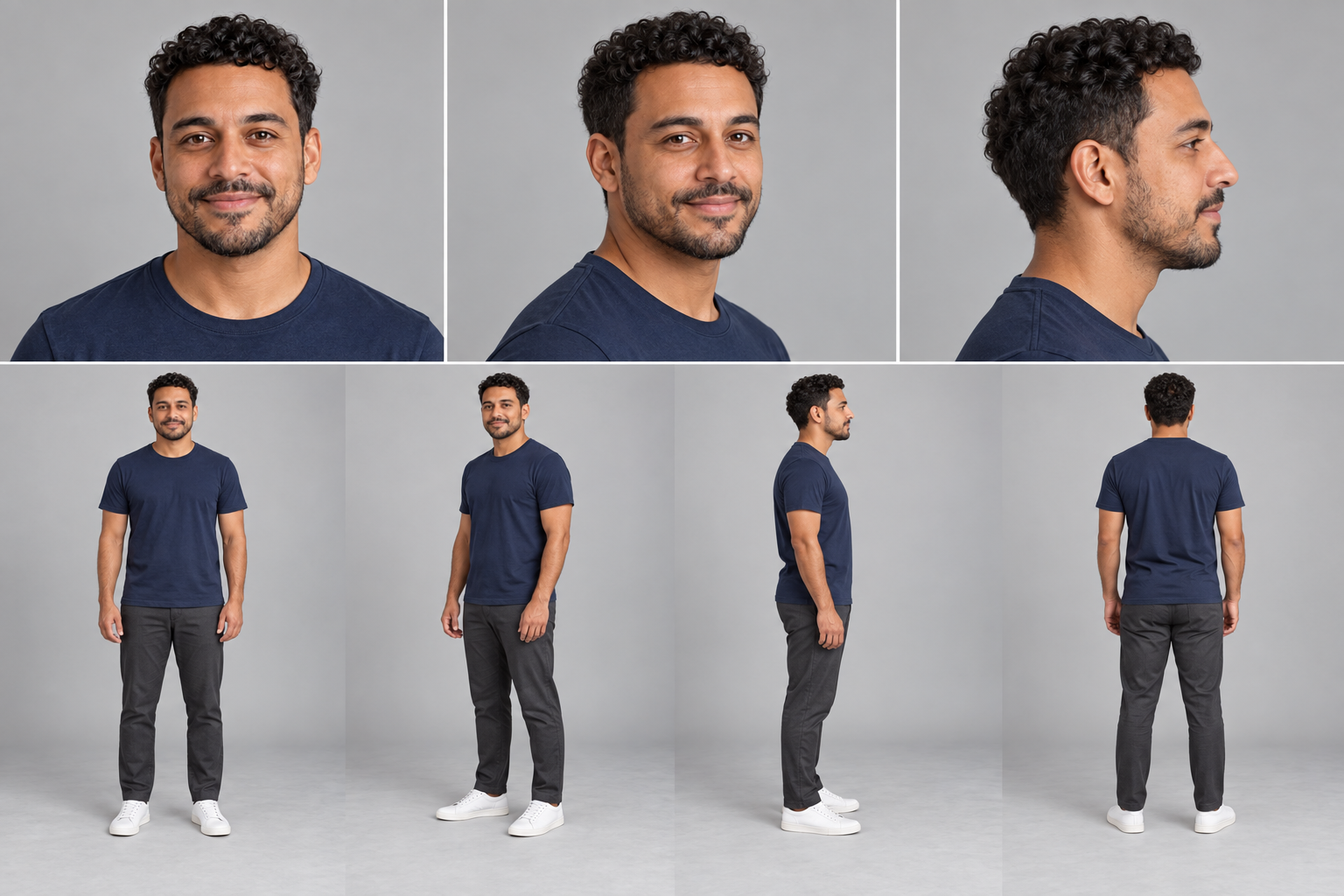
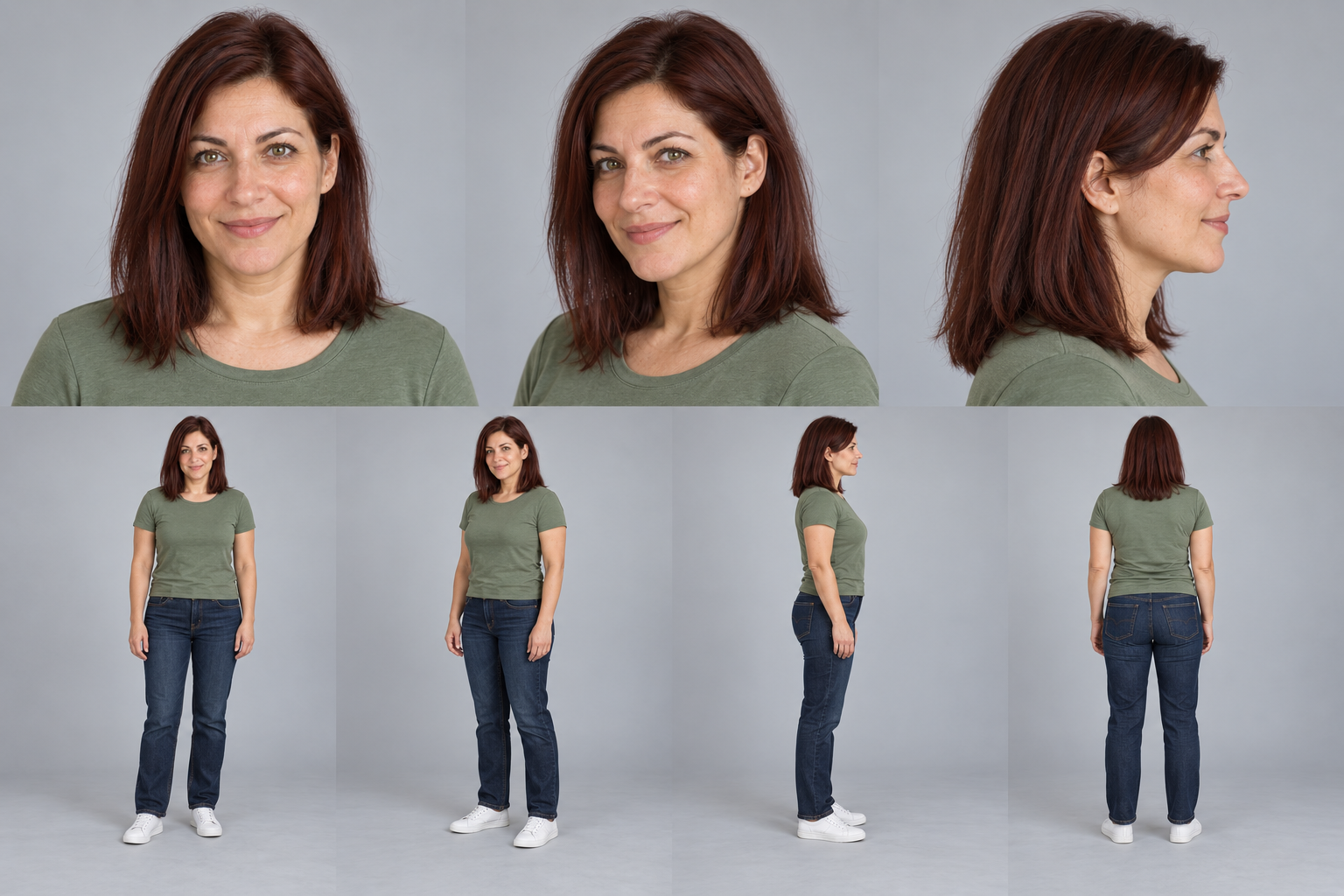
Play this reviewed sample with sound to judge the framing, motion, voice, and 480p detail. It uses prepared character reference sheets. Your own photos may produce different likeness and movement; this example is not a guarantee of your result.

Sound on
Watch before you try · 15 sec · 480p · 16:9 · sound · no site watermark
See the prepared reference sheets used for this sample
Prepared character reference sheet for the left performerPrepared character reference sheet for the right performer

Make yours in four steps

01

Add two clear reference photos.

Use JPG, PNG, or WebP files up to 10 MB each. Keep faces readable, use even lighting, and avoid filters, text overlays, or tight crops. After payment, open your private email workspace or existing account to upload both portraits.

02

Arrange the duo and framing.

Swap left and right until the composition works. Friends and Couple use the same Classic duo movement and performance audio in this release. Advanced settings lets you choose portrait 9:16 or landscape 16:9. Choose Pets for two animal photos.

03

Choose your format and buy a video pack.

Purchase a 6-second or 15-second video pack if your allowance is insufficient. Guests use their checkout email; existing account balances remain usable. Both formats are 480p with audio and no HotelLobbyMaker watermark. Payment must be confirmed before generation.

04

Generate, review, and download.

Select Make video when ready. You can close the page while it processes. Guest orders receive a private email link valid until 72 hours after that video completes and each new guest video remains available for 3 days. Account videos keep the deadline shown on each result. Confirmed failures restore reserved allowance; unknown outcomes need reconciliation. No free subjective redo is included.

Two photos vs one group photo

This release takes exactly two reference photos, one per performer, and does not accept a single group photo. If both people are in one picture, crop it into two separate files before uploading; the left and right slots are swapped in the workspace until the composition looks right. One photo of two people is not split into a duo automatically.

Other ways: Viggle, CapCut or a prompt

Character-swap apps such as Viggle drive an existing clip or template and swap a character in it. Editors such as CapCut assemble, cut and caption footage you already have. Neither starts from two portraits and returns a finished orange-studio duo performance, which is what this generator does. The two guides below compare the inputs, audio and payment differences before you buy anything.

What is the Hotel Lobby reference?

The orange studio reference is associated with Quavo and Takeoff’s “HOTEL LOBBY” performance on A COLORS SHOW. Watch the original performance for context. HotelLobbyMaker is an independent AI tool and is not affiliated with or endorsed by the artists or COLORS.

Watch Quavo & Takeoff — HOTEL LOBBY on COLORS

Before you make your first video

Can I make a Hotel Lobby AI video for free?

No. Video generation requires a purchased video allowance. You can watch the sample and arrange photos locally without starting a paid generation.

Will the voice change to match my photos?

No. The current duo direction keeps its performance audio; changing photos or the Friends/Couple label does not automatically change the voice. Listen to the sample before choosing this workflow.

Can I copy a prompt instead?

Yes. The prompt guide has editable starting points for the orange backdrop, full-body framing, and shared microphone. A prompt alone does not guarantee the same faces, movement, or audio in another generator.

Should I pay before seeing a result?

Yes. Watch the sample first, then buy a video pack before generating a video with your photos. The sample is not a guarantee of your result. Current formats are 480p without a HotelLobbyMaker watermark.

How long is the video, and can I make it vertical?

Choose 6 seconds or 15 seconds, both 480p with audio and no site watermark. Advanced settings switches between 9:16 portrait for TikTok, Reels or Shorts and 16:9 landscape. Changing the length changes how many videos a pack covers.

Can I make one with my pets instead of two people?

Yes. Choose Pets and upload two animal photos, one per side, with clear markings and visible paws. The pipeline keeps animal features and adapts the shared performance rhythm to pet movement, so markings and paws can vary. The people sample is not a pet preview.

Can I do this from my phone?

Yes. Everything runs in a mobile browser: upload two JPG, PNG or WebP files up to 10 MB each from your camera roll or files, pay by email, and open the private download link from the same phone within 72 hours of the video finishing. Photos are previewed locally and upload only when you submit a generation request.

What happens if a generation fails?

Confirmed generation errors, safety refusals and withheld videos return the reserved video allowance, so you can generate again without paying twice. Unknown outcomes, including unconfirmed timeouts, stay pending for manual review. If the video finishes but you dislike the result, no free subjective redo is included.